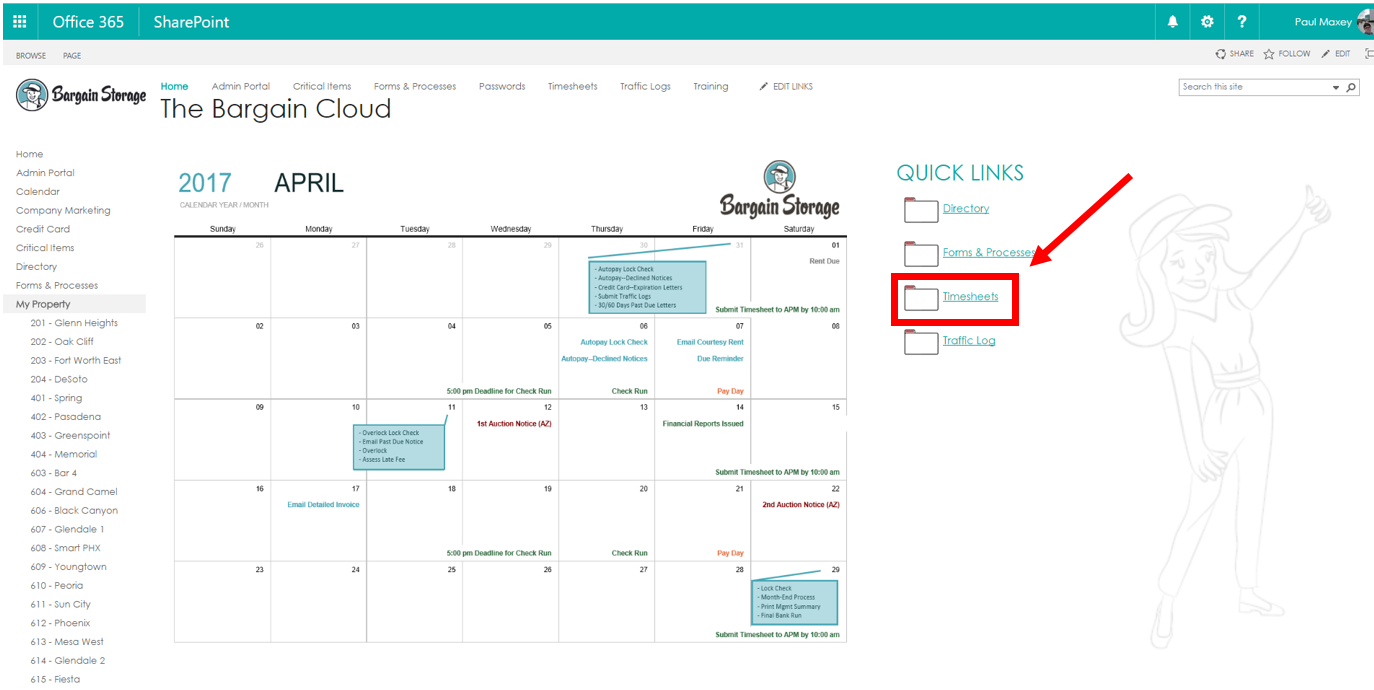
The bi-weekly time sheet is located on the Bargain Cloud. You can find it by double clicking the "Bargain Cloud" icon located on your desktop. Once on the Cloud locate the folder labeled "Time Sheets" and click it.
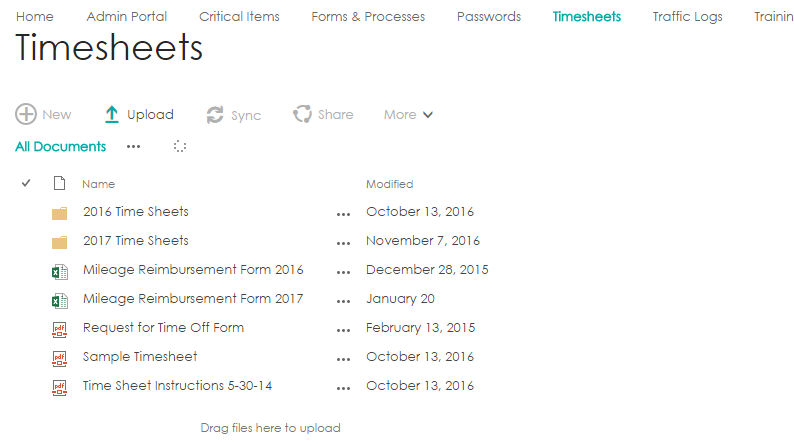
Once on the Timesheets page locate the current years folder and click it.
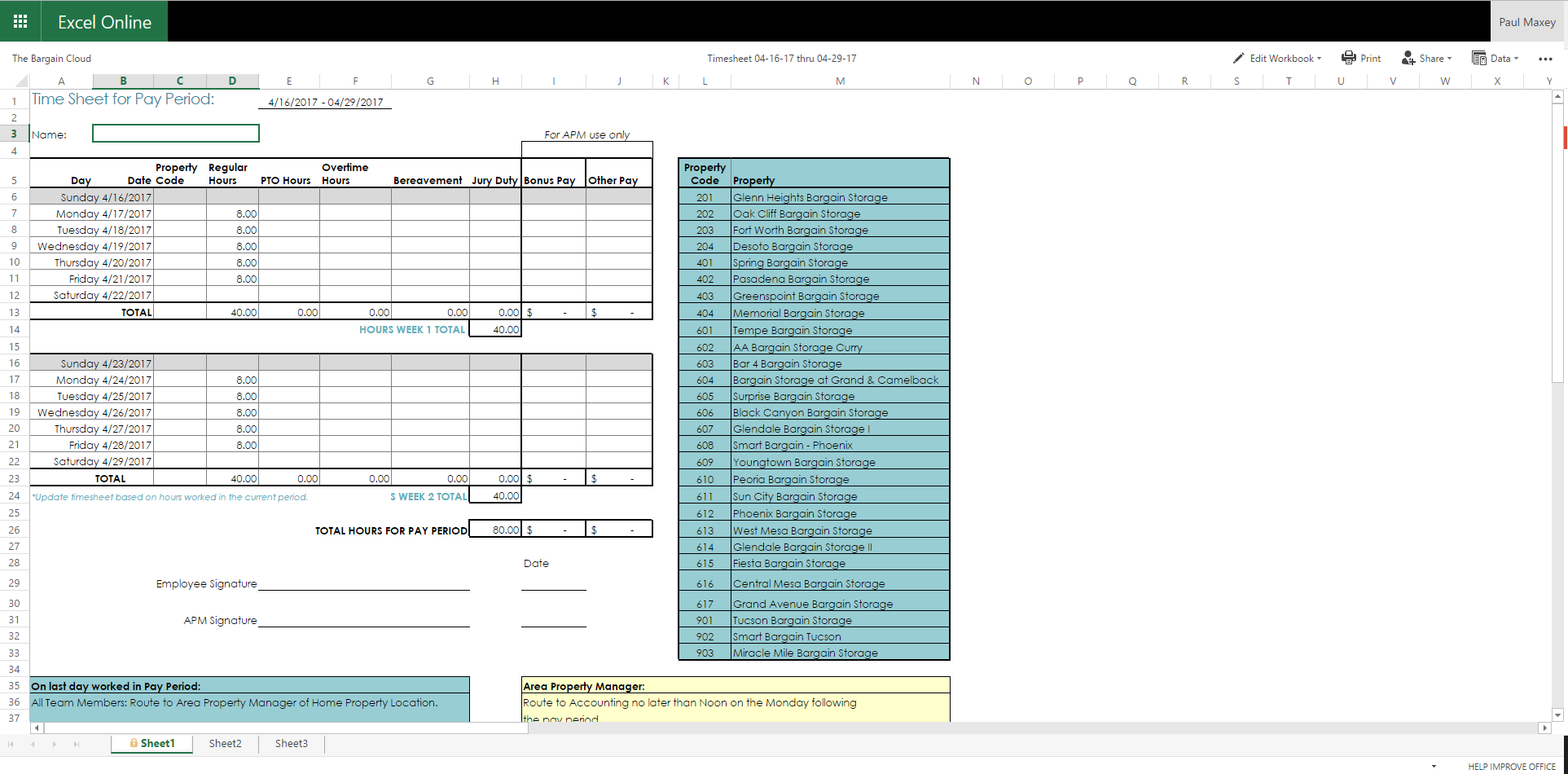
Now click the date range that corresponds to the current pay period and a spreadsheet will open up in the current window. At this point we will want to save it to the desktop so that it can be filled out.
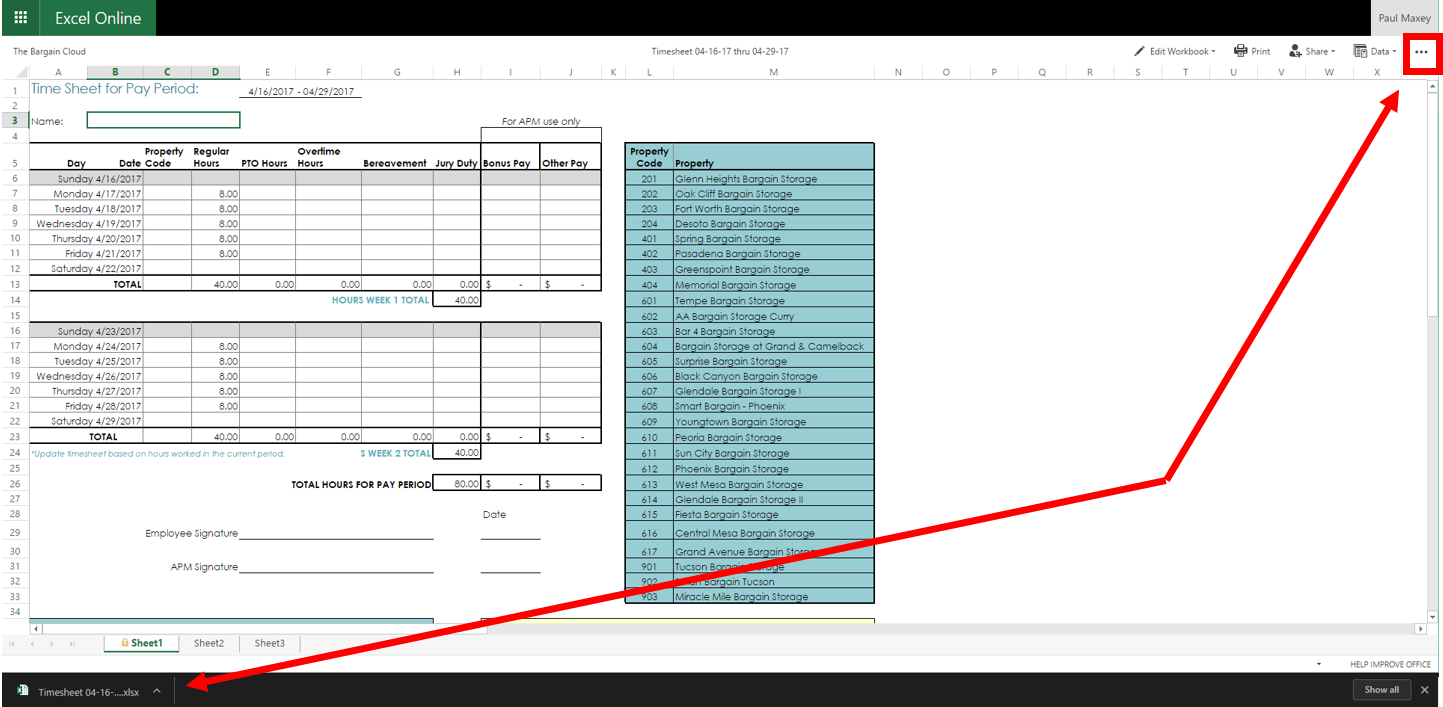
To do this click the 3-dots located in the upper right hand corner and select "Download". Once completed the spreadsheet will appear in the lower left hand corner. You can now open the time sheet in Excel to edit and submit to your APM.
0 Comments