If your scanner or printer has stopped working try these steps to regain connection.
Scanner:
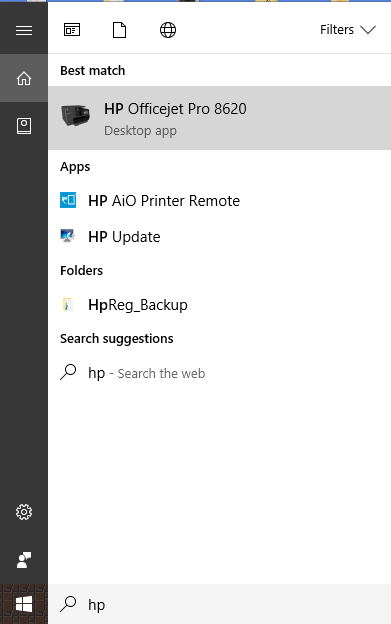
First locate the search bar labeled "Ask me Anything", then type in "HP" and select your HP Office Jet printer.
A window will open labeled HP Printer Assistant.
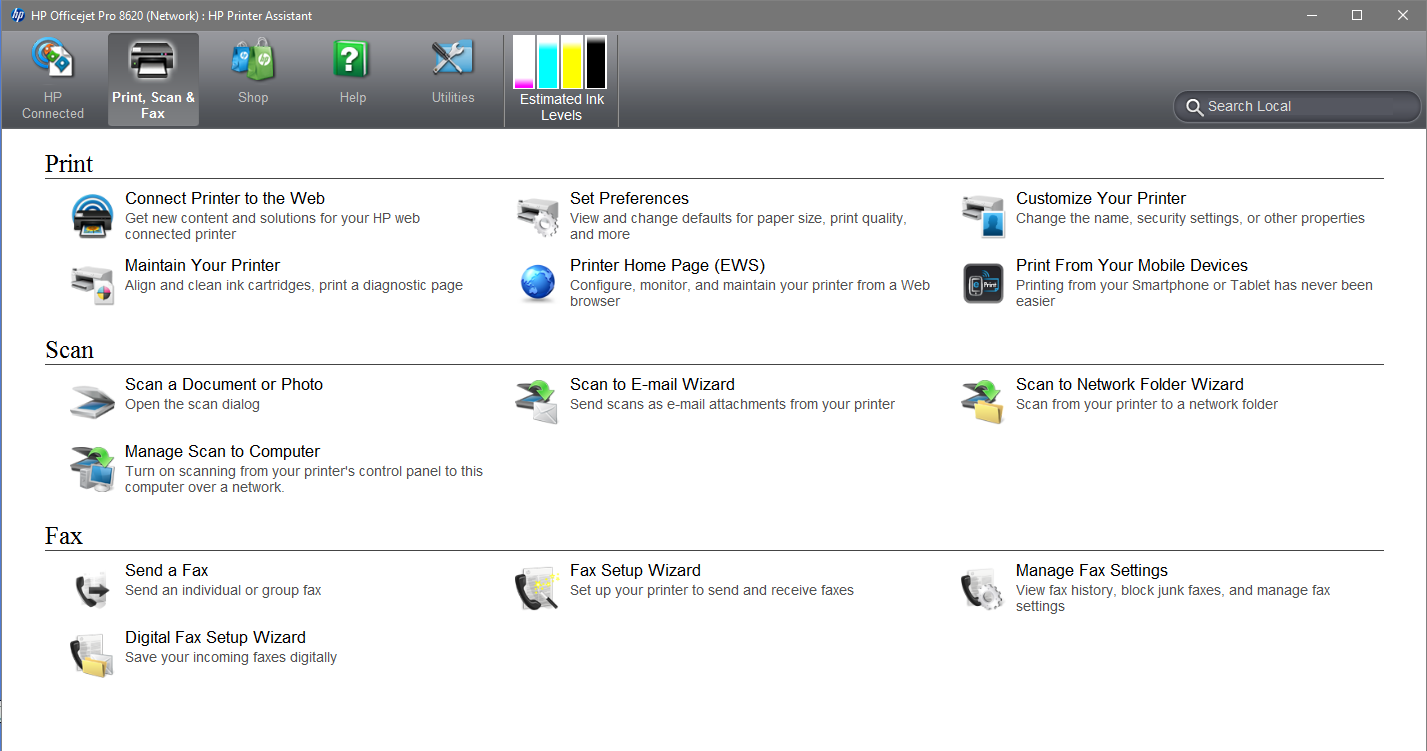
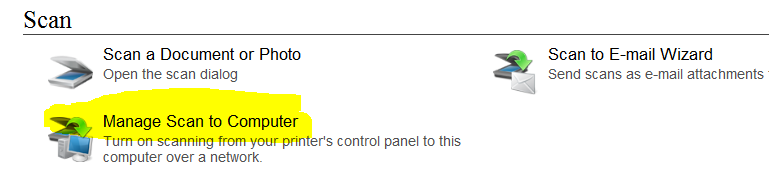
On the first tab click "Manager Scan to Computer"
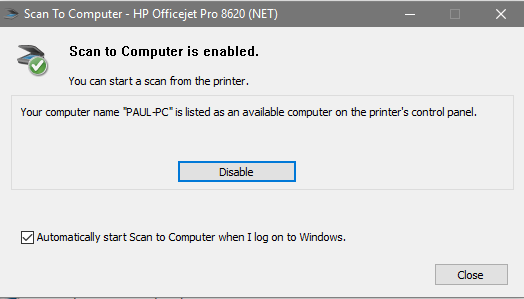
Another window will pop up with a "disable" or "enable" button. Even if scan is enabled click disable and then click enable. This should clear up the connection issue.
Printer:
Just like for the scanner we will start in the HP Printer Assistant but this time we will click the "Utilities" tab. Once in the utilities tab select "HP Printer and Scan Doctor".
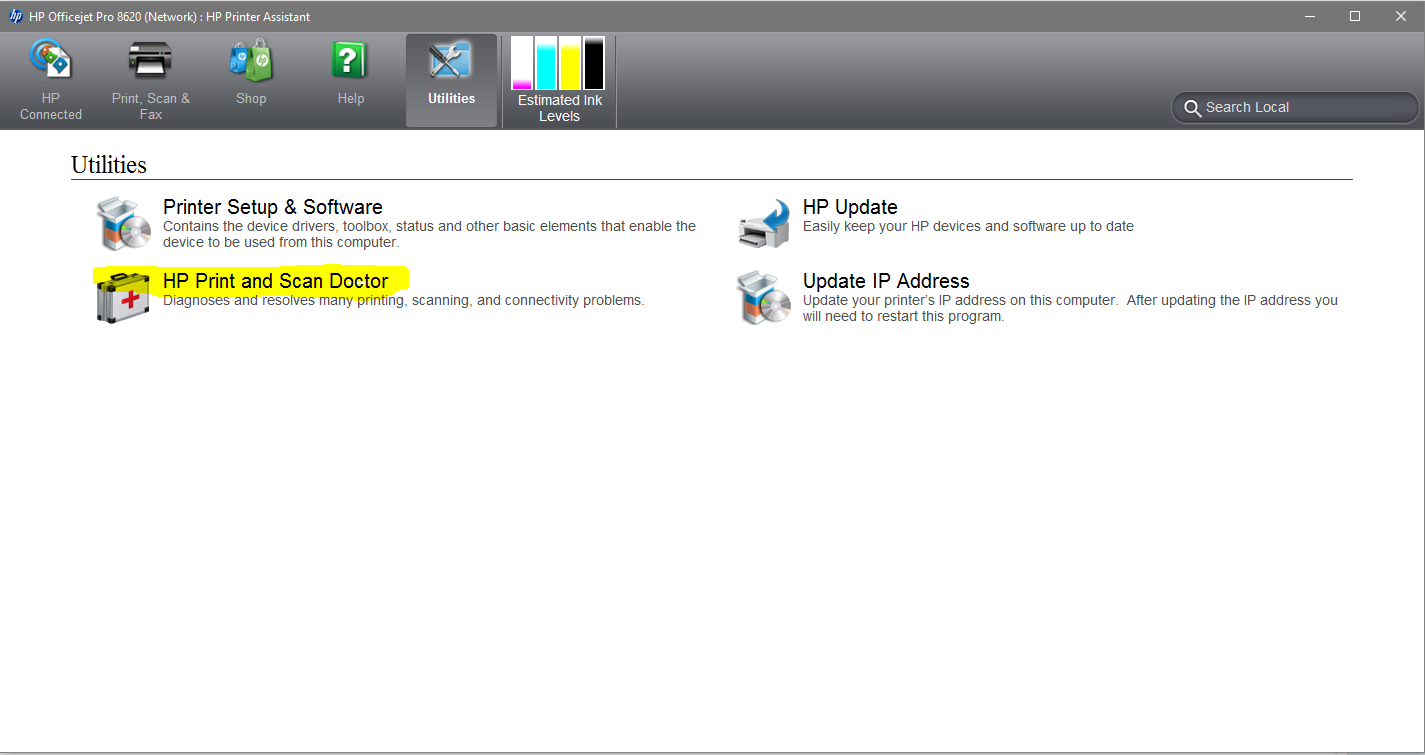
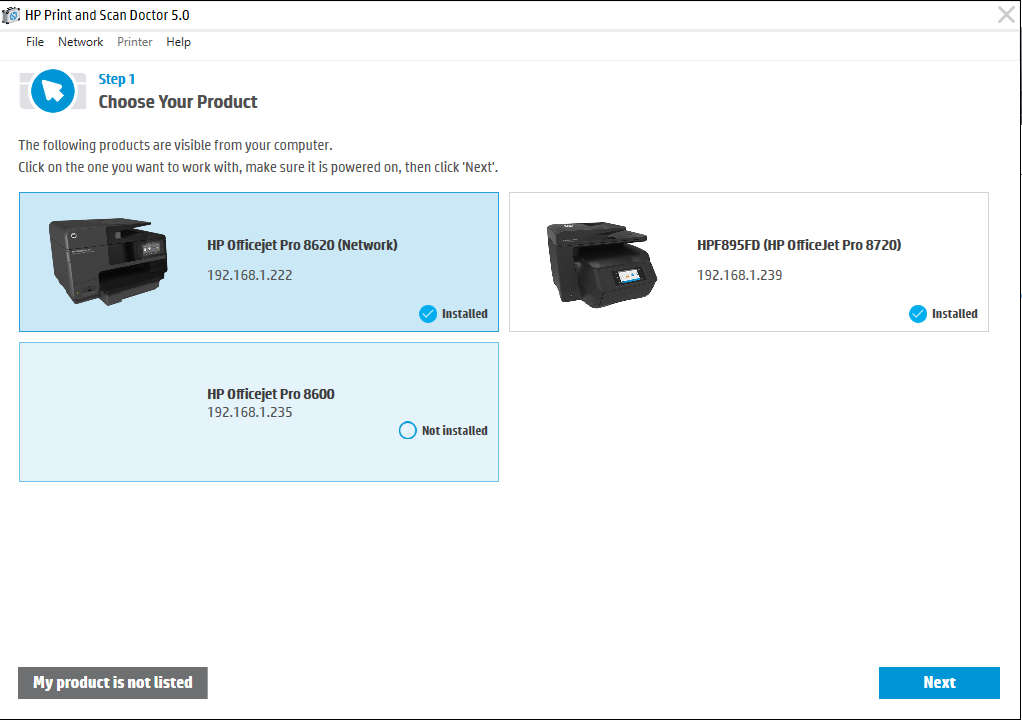
Once HP Printer and Scan Doctor Open you will need to click the start button. It will scan your network for all HP products and then allow you to select your printer and click next. The program will now begin communicating with the printer.
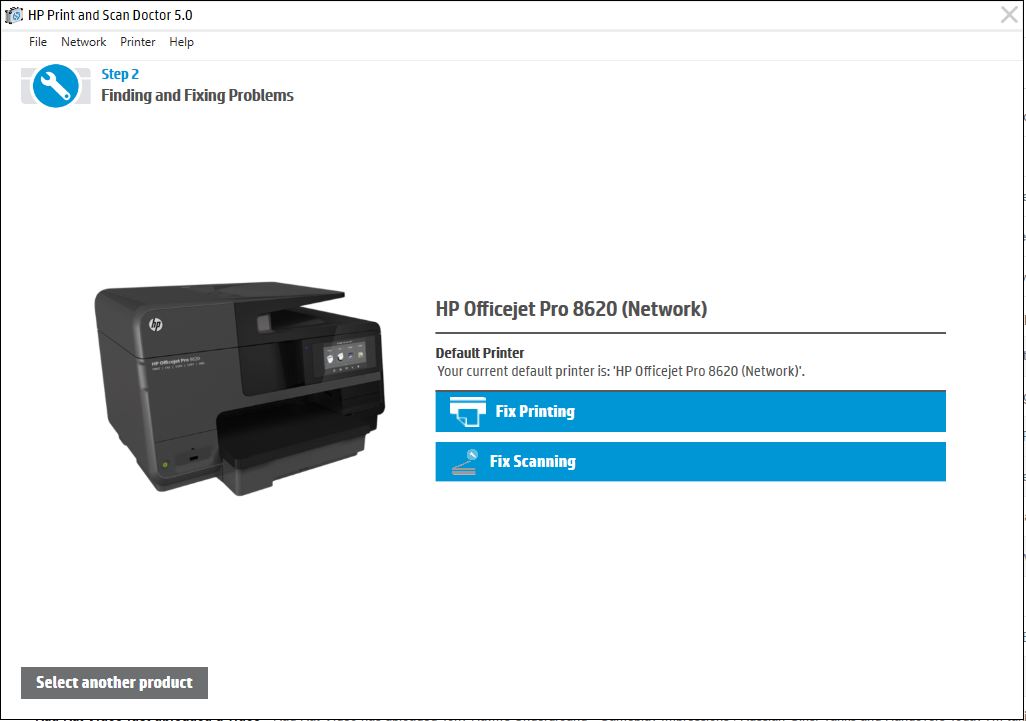
On the next window you will be given the option to fix printing or scanning.
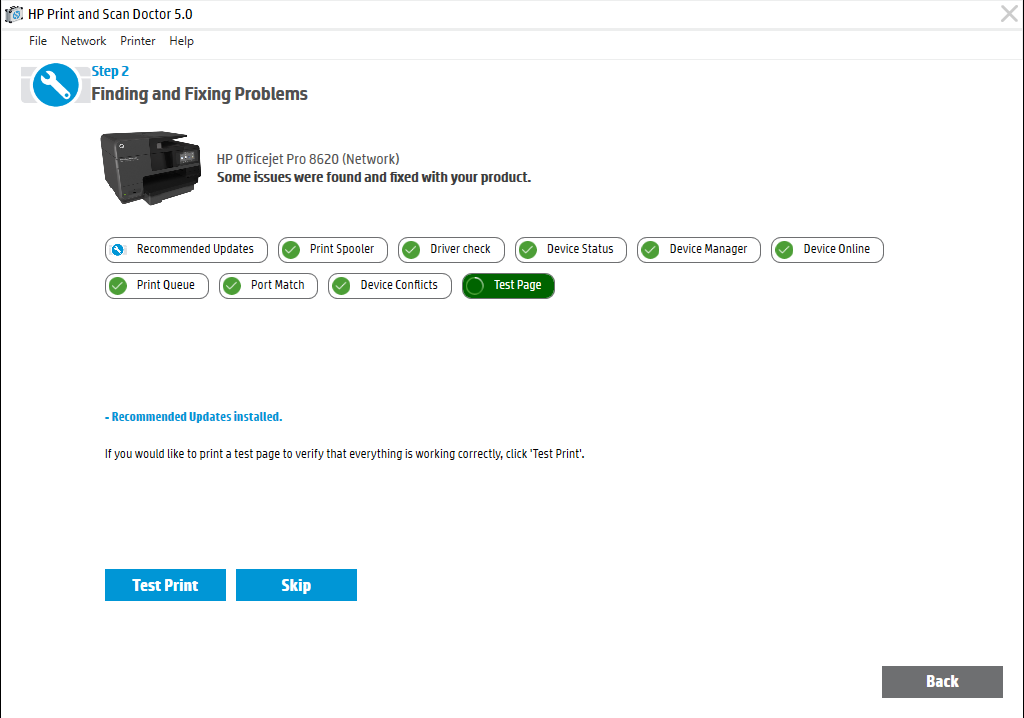
After another loading screen you will be shown a series of tests that have passed or failed. If all have passed, try to print a test page.
If the page prints successfully it's a good idea to try printing forms from Sitelink. Once those have printed successfully you are all set. If these steps do not successfully resolve the issue please contact support@bargainstorage.com.
0 Comments